Skip to the budgeting example

Give your money
a job to do.

Rent money. Chai money. Someday money.
Aviary gives your money a job, so you know what’s available before you spend.

Get it on AndroidOpen web appYour budget, your currency. Free & open source.

Your money is ready. Give it a job.

Tap each envelope to send some money to work. These are sample amounts, not a suggested budget. A budgeting example using sample money.

Waiting for a job₹1,000
Still yours
₹1,000
Spent
₹0
Saving money is a job, too.
1. Assign2. Spend3. Adjust

₹1,000 unassigned. ₹1,000 still yours. ₹0 spent. Rent: ₹0 available. Food: ₹0 available. Savings: ₹0 available. Fun: ₹0 available.

Already know envelope budgeting? Try the expense demo
PLAYGROUND

This is the real thing. Poke it.

Not a video, not a GIF. The app's own screens, running right here on the page.

Log expense
₹0

Tap an amount, say what it was for, then hit +.

Tap a number. That's the whole feature.

The keypad is the first thing your thumb finds. Amount, category, one-word note. Logged before the UPI confirmation screen has closed.

⚡
Logged in seconds
Amount, note, done. No forms to fill.
🧠
It guesses the envelope
Type "chai" or "uber" and watch the pill.
📴
Works with no signal
Logs queue locally and sync when you surface.

For the everyday.
And the someday.

A place to plan this month, keep up with purchases, and make sense of the bigger picture.
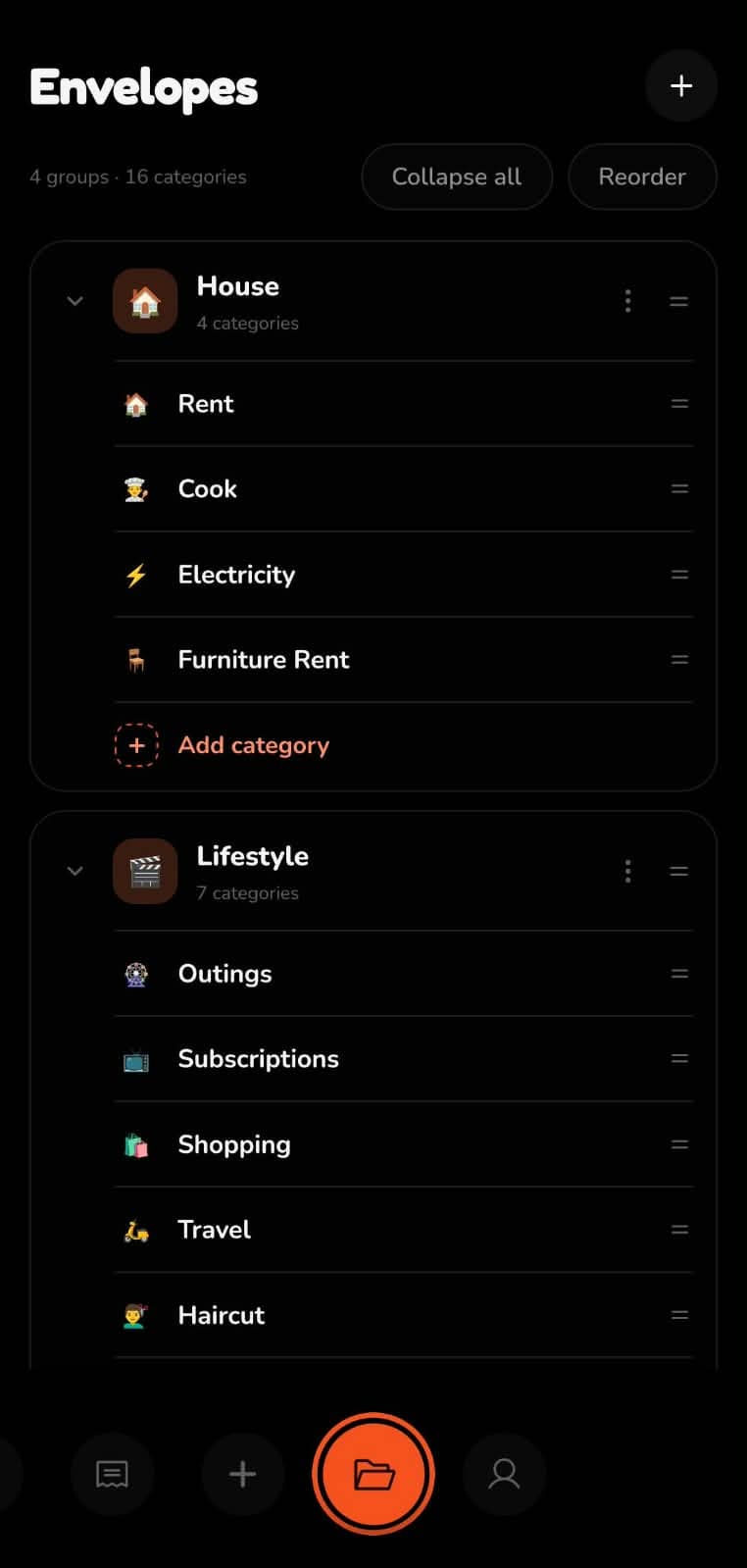
Aviary Android envelopes screen showing groups of budget categories and their available balances
Inside Aviary for Android

Make room for what matters.

Group your envelopes around your life. Plan for recurring expenses and subscriptions alongside food, travel, and future goals. Move money when the month changes shape.

Keep the daily part small.

Log an expense with a keypad and a note. Category suggestions help with familiar purchases; scan a receipt when there are more items to sort.

See the picture behind the purchases.

Explore spending with Insights and Expense Wrapped, track investments, or ask Money Brain a question about your money. Archived entries can be restored when you need them.

Your money goes with you.
Your plan does, too.

Use the same account on Android and the web. Your budgets and transactions stay together.

In your pocket

Log purchases on Android. Add expenses from a home-screen widget, get notifications, and queue new expenses when you’re offline.

Get Aviary for Android

At your own pace

Plan envelopes, review transactions, and explore insights in your browser. A good place for your monthly sit-down. Also available through the browser on iPhone.

Open the web app

A few things
worth knowing.

Read the source
You’re on the trial plan.
Payments aren’t live yet, so every account stays on the trial plan for now, no card needed. Once payments launch, you’ll get a full 45-day trial from that point, and we’ll tell you before it starts. We haven’t settled on a price, but it’ll be kept affordable.
You add the purchases.
Aviary does not connect to your bank. Manual logging gives you a moment to notice a purchase; recurring entries and receipt scanning help with the longer bits.
Your data has a way out.
Export or delete your data from account settings. Sensitive fields are encrypted in storage; the server can decrypt them to run the app.
AI features involve processing.
Money Brain and AI briefs use Google Gemini with relevant financial context. Receipt scanning sends the receipt photo. See the full privacy details.

Good questions.

Your money
could use a plan.

Start with the money you have.
Give it a purpose. Make room for your life.

Free to use · No bank connection · Sign in to save your plan