How it works
- Open Account, then Add from statement. Pick screenshots from your gallery, or a CSV, Excel or PDF statement.
- Aviary reads each payment: who it went to, how much, and when. It matches the payee to a category from your own history.
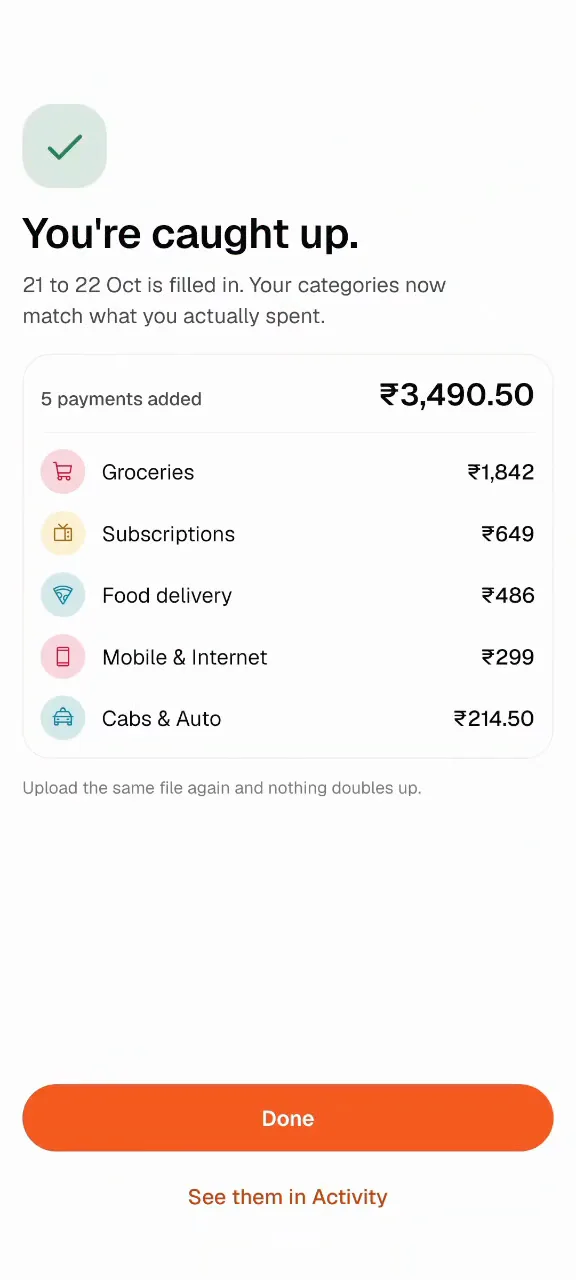
- You get a list to check. Untick anything that isn’t yours, fix a category, and tap Log.
- The spends land on their real dates. Your categories now match what you actually spent.
What it reads
Screenshots of GPay, PhonePe, Paytm or your bank app work, as many as you like in one go. So does a statement export: CSV, Excel or PDF. Outside India, the same goes for Venmo, Cash App or your bank’s app.
Nothing doubles up
Anything you already logged is left alone, and credits are skipped. Upload the same screen twice, or a statement that overlaps a screenshot, and only the new payments show up. A transfer from a friend can be marked as income if you want it counted.
Why it isn’t bank sync
Bank sync logs everything for you, and you never feel a thing. Catching up from a statement is for the week you missed, with you checking every line before it lands. On a normal day, logging is still one tap. Read more on budgeting without linking your bank.